flex order 排序
一般情况下浏览器会把元素从左到右或者从上到下排列,如果我们想要更改它们的排列顺序该如何做呢?使用order就可以轻松的修改。数字越大越往后,数字越小越在前。
1. 官方定义
order 属性设置或检索弹性盒模型对象的子元素出现的順序。
2. 慕课解释
子元素可以通过设置 order 数值的大小来设定在页面中出现的顺序,数值小的在前,数值大的在后。
3. 语法
.item-child{
    order:1;
}
属性说明
| 参数名称 | 参数类型 | 解释 |
|---|---|---|
| order | number | 数值越小排位越靠前 |
4.兼容性
| IE | Edge | Firefox | Chrome | Safari | Opera | ios | android |
|---|---|---|---|---|---|---|---|
| 10+ | 12+ | 28+ | 4+ | 6.1+ | 12.1+ | 7+ | 4.4 |
5. 实例
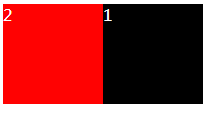
- 子元素 child-1 在右侧 child-2 在左侧。
<div class="demo">
    <div class="child-1">
        1
    </div>
    <div class="child-2">
        2
    </div>
</div>
.demo{
    display: flex;
}
.child-1{
    flex:auto;
    order:2;
    background: #000;
}
.child-2{
    flex:auto;
    order:1;
    background: rgb(255, 2, 2);
}
效果图
实例演示
预览
复制
<!DOCTYPE html>
<html lang="en">
<head>
    <meta charset="UTF-8">
    <meta name="viewport" content="width=device-width, initial-scale=1.0">
    <meta http-equiv="X-UA-Compatible" content="ie=edge">
    <title>Document</title>
    <style>
       .demo{
    display: flex;
}
.child-1{
    flex:auto;
    order:2;
    background: #000;
}
.child-2{
    flex:auto;
    order:1;
    background: rgb(255, 2, 2);
}
    </style>
</head>
<body>
<div class="demo">
    <div class="child-1">
        1
    </div>
    <div class="child-2">
        2
    </div>
</div>

</body>
</html>
运行案例
点击 "运行案例" 可查看在线运行效果
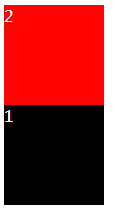
- 子元素 child-1 在下 child-2 在上。
<div class="demo">
    <div class="child-1">
        1
    </div>
    <div class="child-2">
        2
    </div>
</div>
.demo{
    display: flex;
    flex-direction: column ;
}
.child-1{
    flex:auto;
    order:2;
    background: #000;
}
.child-2{
    flex:auto;
    order:1;
    background: rgb(255, 2, 2);
}
效果图
实例演示
预览
复制
<!DOCTYPE html>
<html lang="en">
<head>
    <meta charset="UTF-8">
    <meta name="viewport" content="width=device-width, initial-scale=1.0">
    <meta http-equiv="X-UA-Compatible" content="ie=edge">
    <title>Document</title>
    <style>
       .demo{
    display: flex;
    flex-direction: column ;
}
.child-1{
    flex:auto;
    order:2;
    background: #000;
}
.child-2{
    flex:auto;
    order:1;
    background: rgb(255, 2, 2);
}
    </style>
</head>
<body>
<div class="demo">
    <div class="child-1">
        1
    </div>
    <div class="child-2">
        2
    </div>
</div>
</body>
</html>
运行案例
点击 "运行案例" 可查看在线运行效果
6. 经验分享
通过使用 order 属性可以实现拖动排序,当 JS 脚本运行之后,只要确定元素拖动到指定的位置通过修改对应的 order 就可以轻松完成顺序的改变。
7. 小结
只有在弹性盒模型下起作用。
简介
CSS3简介
盒模型
border 边框
borderImage 边框图片
border-radius 圆角
box-shadow 阴影
box-sizing 盒类型
颜色渐变
gradients 渐变
文字处理
text-justify 对齐
text-overflow 文字超出
text-shadow 文本阴影
文字排版
word-break 文本打断
word-wrap 文本换行
letter-spacing 字间距
空间转换2D和3D
perspective 透视
transform 2D 空间转换
transform 3D 空间转换
过渡和动画
transition 过渡
animation 动画
排版布局
columns 字符分割
flex 弹性盒子布局
flex order 顺序
flex: grow、shrink、basis
flex-direction 排列方向
flex-wrap 换行
justify-content (轴内)对齐方式
align-items 竖直方向对齐方式
align-content
Grid 布局简介
Grid 行和列
媒体查询
media 媒体查询
伪类
only 元素选择
before && after 位置
nth 类型元素选择器
计算函数
calc 计算属性
代码预览
退出