-

- 小白不白3725273 2025-12-23
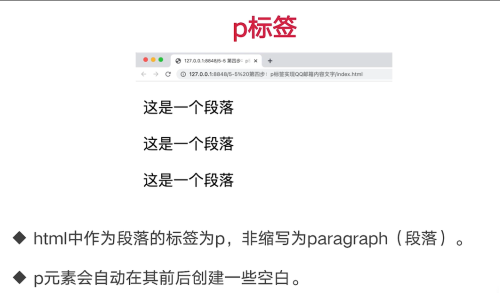
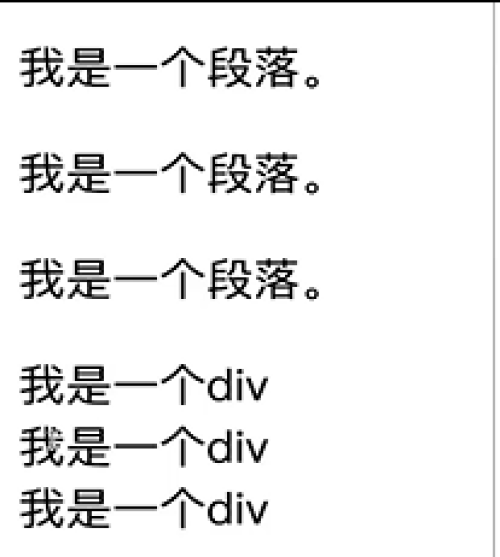
div 标签里可以放入段落标签P
P标签里不能放div
- 0赞 · 0采集
-
- 小白不白3725273 2025-12-23
input 输入框的常用属性:
type 类型
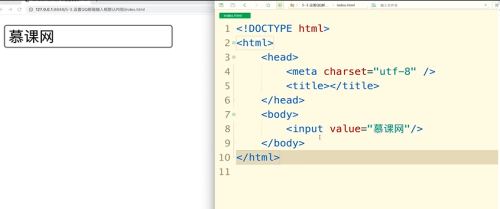
value值 为默认内容
maxlength 属性设定最大值, 限制输入长度, 不显示value内容。 但是如果value删除后,还是按照maxlength。
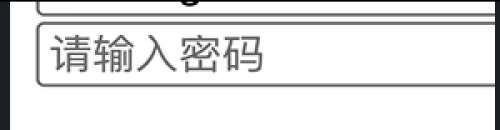
placeholder 设定提示信息。 针对内容为空的时候,会显示预设的信息,如果设定了value则还是显示value值
- 0赞 · 0采集
-
- 小白不白3725273 2025-12-23
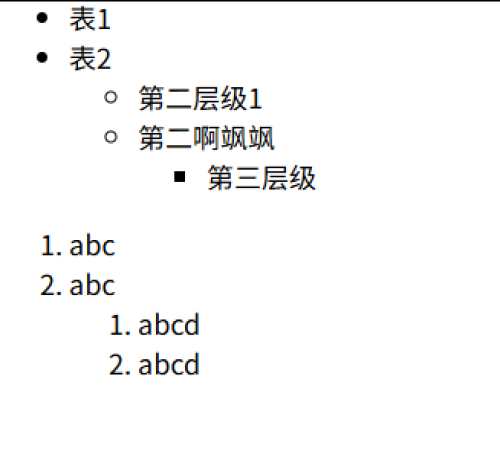
ol 有序列表,有默认的1,2, 3,
ul无序列表
- 0赞 · 0采集
-
- 小白不白3725273 2025-12-22
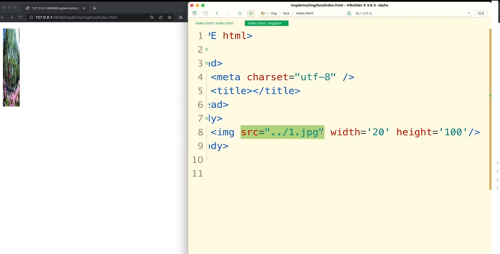
图片位置<img src="。。/>
。。/表示图片在上层位置, 如果还在更上层 就是。。/。。/图片名称
- 0赞 · 0采集
-
- 小白不白3725273 2025-12-22
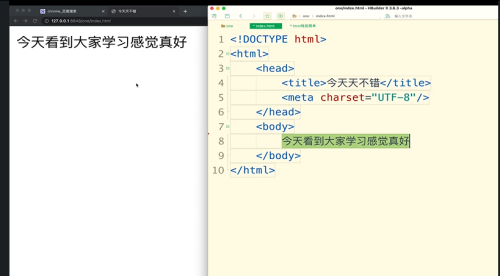
新建-空白页面
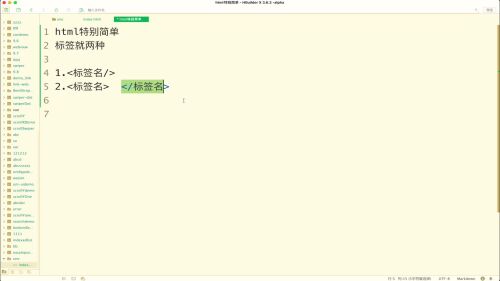
html 2种标签
1; 有盖子的<标签名/> 例如: <meta/>
2. <标签名> </标签名>
文档头:告诉浏览器我要写文档了
<!doctype html>  特殊标签 单独记忆
<html>
头 <head> 显示在浏览器内容 不显示在页面里</head>
<meta charset="UTF-8"/>  页面所有内容都是中文显示
<body> 网页内容</body>
</html>
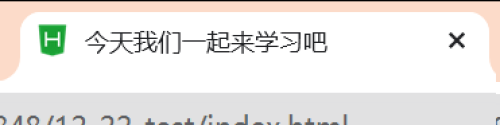
head下面的title内容是显示浏览器的内容。
- 0赞 · 0采集
-

- Smile_昔雨 2025-12-10
../:上一级
- 0赞 · 0采集
-
- Smile_昔雨 2025-12-10
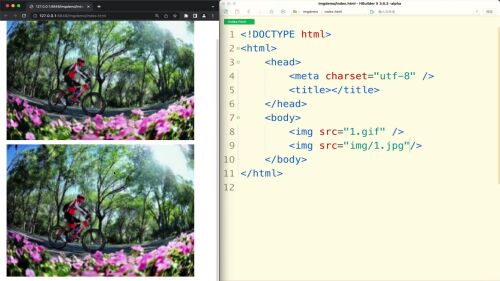
img
- 0赞 · 0采集
-
- Smile_昔雨 2025-12-04
前端开发工具:
集成开发环境: IDE

HbuilderX:纯中文界面、使用
sublime编辑器
VScode编辑器
- 0赞 · 0采集
-
- 慕尼黑0091916 2025-08-04
- js是网络的样式
-
截图0赞 · 0采集
-
- 慕尼黑0091916 2025-08-04
- CSS是层叠样式表
-
截图0赞 · 0采集
-
- 慕尼黑0091916 2025-08-04
- html表示的是文字
-
截图0赞 · 0采集
-
- 慕尼黑0091916 2025-08-04
- jquery浏览器使用最广
-
截图0赞 · 0采集
-
- 慕尼黑0091916 2025-08-04
- 前端不好就业,本科学历占百分之五十多,大专占百分之二十多,得坚持学
-
截图0赞 · 0采集
-

- 慕勒7205155 2025-07-18
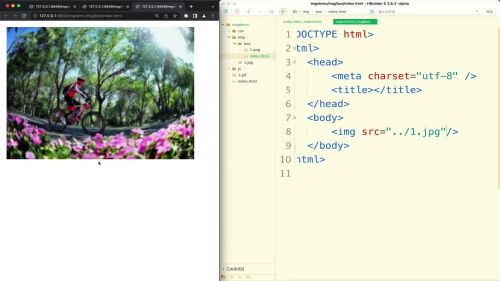 表示在1.jpg路径在当前文件夹外面一层
- 0赞 · 0采集
-

- 初夏初雪 2025-04-15
<! DOCTYPE html>
- 0赞 · 0采集
-

- 慕粉2038322838 2025-03-16
<!DOCTYPE html> <html> <head> <style> /* 基础样式 */ .banner-container { position: relative; width: 1200px; height: 400px; margin: 0 auto; overflow: hidden; } /* 图片列表 */ .banner-list { display: flex; transition: transform 0.5s ease; width: 6000px; /* 单张图片宽度1200×5张 */ } .banner-item { width: 1200px; height: 400px; flex-shrink: 0; } /* 导航圆点 */ .dot-nav { position: absolute; bottom: 20px; left: 50%; transform: translateX(-50%); display: flex; gap: 10px; } .dot-item { width: 12px; height: 12px; border-radius: 50%; background: rgba(255,255,255,0.5); cursor: pointer; transition: background 0.3s; } .dot-item.active { background: #fff; } /* 箭头按钮 */ .arrow { position: absolute; top: 50%; transform: translateY(-50%); width: 40px; height: 40px; background: rgba(0,0,0,0.3); border-radius: 50%; cursor: pointer; display: flex; align-items: center; justify-content: center; color: white; font-size: 24px; opacity: 0; transition: opacity 0.3s; } .banner-container:hover .arrow { opacity: 1; } .arrow.prev { left: 20px; } .arrow.next { right: 20px; } </style> </head> <body> <div class="banner-container"> <div class="banner-list"> <img src="img1.jpg" class="banner-item"> <img src="img2.jpg" class="banner-item"> <img src="img3.jpg" class="banner-item"> <img src="img4.jpg" class="banner-item"> <img src="img5.jpg" class="banner-item"> </div> <!-- 导航箭头 --> <div class="arrow prev">‹</div> <div class="arrow next">›</div> <!-- 导航圆点 --> <div class="dot-nav"></div> </div> <script> const banner = { container: document.querySelector('.banner-container'), list: document.querySelector('.banner-list'), items: document.querySelectorAll('.banner-item'), currentIndex: 0, timer: null, init() { // 生成导航圆点 const dotNav = document.querySelector('.dot-nav'); this.items.forEach((_, index) => { const dot = document.createElement('div'); dot.className = `dot-item${index === 0 ? ' active' : ''}`; dot.addEventListener('click', () => this.goTo(index)); dotNav.appendChild(dot); }); // 箭头事件 document.querySelector('.arrow.prev').addEventListener('click', () => this.prev()); document.querySelector('.arrow.next').addEventListener('click', () => this.next()); // 自动播放 this.autoPlay(); // 悬停暂停 this.container.addEventListener('mouseenter', () => clearInterval(this.timer)); this.container.addEventListener('mouseleave', () => this.autoPlay()); }, updatePosition() { this.list.style.transform = `translateX(-${this.currentIndex * 1200}px)`; document.querySelectorAll('.dot-item').forEach((dot, index) => { dot.classList.toggle('active', index === this.currentIndex); }); }, prev() { this.currentIndex = (this.currentIndex - 1 + this.items.length) % this.items.length; this.updatePosition(); }, next() { this.currentIndex = (this.currentIndex + 1) % this.items.length; this.updatePosition(); }, goTo(index) { this.currentIndex = index; this.updatePosition(); }, autoPlay() { this.timer = setInterval(() => this.next(), 3000); } }; banner.init(); </script> </body> </html>- 0赞 · 0采集
-

- 刘帅1339941 2025-03-02
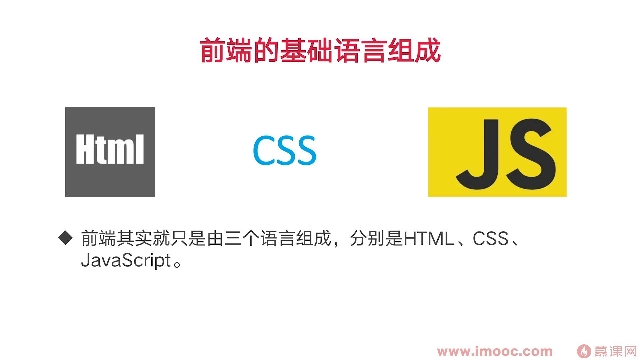
网页,app,组成
- 0赞 · 0采集
-

- 韩本洋_uyLVX2 2024-12-14
前端的三大核心技能
前端是由三个语言组成,分别是HTML、CSS、JavaScript
前端后期的框架或库只是同上述内容封装而来,是为了更方便的操作这三个语言而已。
1 . HTML的全称是超文本标记语言。我们可以使用这些标签说明文字、图像、音视频等等。
HTML的的官方叫法为“标签”
简单来说,HTML更像是房子的架构,做好HTML后我们就相当于在了一个毛坯房。
2 . CSS又叫层叠样式表,可以静态地修饰网面,让网页更有活力更好看。
简单来说,CSS更像给房子装修好买了家具,让房子更漂亮了.
3 . JavaScript (简称"JS")是一种具有函数优先的轻量级,解释型或即时编译型的编程语言,他主要负责和使 用者与网面交互使用的。比如按钮的触碰效果、导航栏轮播等效果。
简单来说,JS更像房子的智能家居系统,让用户和房子能够互动。
- 0赞 · 0采集
-

- HUANGMEIMEI 2024-11-21
<span>輸入帳號密碼隔前面的文字
- 0赞 · 0采集
-
- HUANGMEIMEI 2024-11-20
input需要登入介面而使用的標籤
<input type(類型)="例如:帳號/密碼/生日/電話"/>
- 0赞 · 0采集
-
- HUANGMEIMEI 2024-11-20
<ol>數字列表
- 0赞 · 0采集
-
- HUANGMEIMEI 2024-11-20
<ul>大列表
<il>小列表
- 0赞 · 0采集
-
- HUANGMEIMEI 2024-11-20
div分割作用
- 0赞 · 0采集
-
- 慕标5234759 2024-11-18
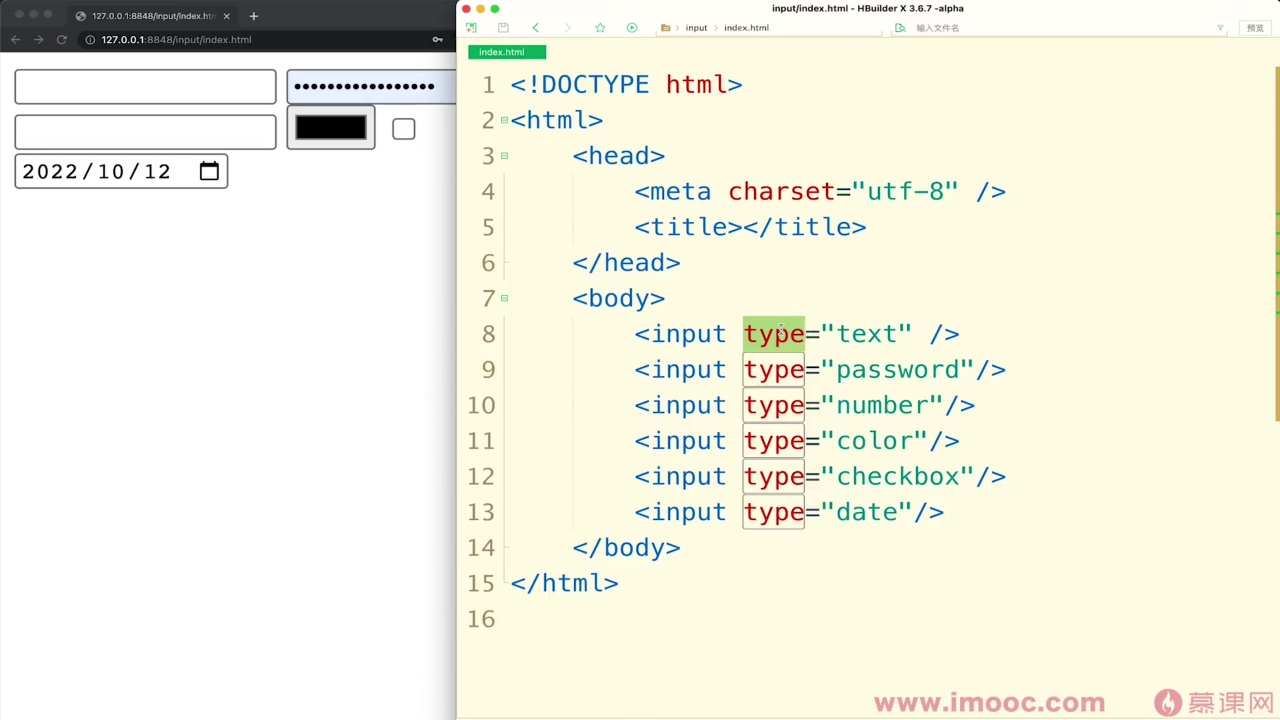
input标签有六种,输入框
- 0赞 · 0采集
-
- HUANGMEIMEI 2024-11-11
<!DOCTYPE(告知瀏覽器這是甚麼) 後方帶入html之類的>
有頭就有尾基本要有以下三大標籤
<html></html>甚麼編碼
<head></head>網頁的頭
<body></body>網頁的身體
三大標籤順序為
<html>
<head> </head>
<body></body>
</html>
3. <meta>裡面charset(網頁編碼解析器)="UTF-8(中文)"
4.<title>網頁標題</title>
- 0赞 · 0采集
-

- 慕数据3031255 2024-08-29
- 前端人员是制作小程序,app的
- 0赞 · 0采集
-

- 恋旧3106072 2024-08-20
<span>标签被用来组合文档中的行内元素
- 0赞 · 0采集
-
- 恋旧3106072 2024-08-19
P标签
P标签里不可以放占位的标签,例如:input、buttom、div等。
p标签里可以放文字、图片、a标签。

- 0赞 · 0采集
-
- 恋旧3106072 2024-08-19
1.html中作为按钮标签有两种,一种是input、另一种是button标签。
2.最基本的区别为前者为单标签,后者为闭合的标签。
<input type="button" value="按钮"> <!-- 单标签 -->
<button>按钮</button> <!-- 闭合标签 -->
<button>
<img src="img/1.gif">
</button>
- 0赞 · 0采集
-
- 恋旧3106072 2024-08-19
<input value="慕课网"> <!-- input框里的实打实的文字 -->
<input value="abc">
<input
maxlength="5"
value="abcdefg"> <!-- 限制input框的长度,不会限制value的长度 -->
<input value="请输入密码">
<input placeholder="请输入密码"> <!-- 提示内容 -->
- 0赞 · 0采集


