
课程名称:2022持续升级 Vue3 从入门到实战 掌握完整知识体系
课程章节:4-1 使用 Vue 实现基础的 CSS 过渡与动画效果,4-2 使用 transition 标签实现单元素组件的过渡和动画效果(1)
主讲老师:Dell
课程内容:
今天学习的内容包括: 使用 Vue 实现基础的 CSS 过渡与动画效果,使用 transition 标签实现单元素组件的过渡和动画效果。
动画效果知识点:
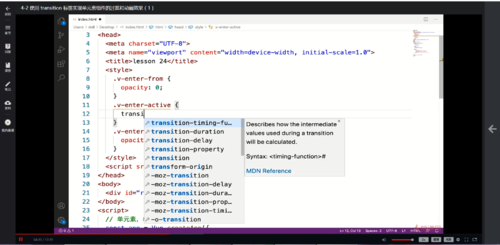
1. v-enter-from:入场前状态效果
2. v-enter-active 入场时状态效果
3. v-enter-to 入场结束,离场开始状态效果
4. @keyframes 动画关键帧属性:0%, 25%,表示动画执行的阶段百分比
5. 动画只需要定义 v-enter-active / v-leave-active
示例代码:
<style>
    /* 动画
    @keyframes leftToRight {
        0% {
            transform: translateX(-100px);
        }
        50% {
            transform: translateX(-50px);
        }
        0% {
            transform: translateX(0px);
        }
    }
    .animation {
        animation: leftToRight 3s;
    } */

    /* 过渡
    .transition {
        transition: 3s background-color ease;
    }
    .blue {
        background: blue;
    }
    .green {
        background: green;
    } */
    .transition {
        transition: 2s background-color ease;
    }
</style>

<script>
    const app = Vue.createApp({
        data() {
            return {
                styleObj: {
                    background: 'blue'
                }
            }
        },
        methods: {
            handleClick() {
                if(this.styleObj.background === 'blue') {
                    this.styleObj.background = 'green';
                } else {
                    this.styleObj.background = 'blue'
                }
            }
        },
        template: `
            <div>
                <div class="transition" :style="styleObj">hello world</div>
                <button @click="handleClick">切换</button>
            </div>
        `
    });

    const vm = app.mount('#root');
</script>

示例代码2:
<style>
    @keyframes shake {
        0% {
            transform: translateX(-100px)
        }
        50% {
            transform: translateX(-50px)
        }
        100% {
            transform: translateX(50px)
        }
    }
    .hello-leave-active {
        animation: shake 3s;
    }
    .hello-enter-active {
        animation: shake 3s;
    }
</style>

<script>
    // 单元素,单组件的入场出场动画
    const app = Vue.createApp({
        data() {
            return {
                show: false
            }
        },
        methods: {
            handleClick() {
                this.show = !this.show;
            }
        },
        template: `
            <div>
                <transition name="hello">
                    <div v-if="show">hello world</div>
                </transition>
                <button @click="handleClick">切换</button>
            </div>
        `
    });

    const vm = app.mount('#root');
</script>
课程收获:
今天只学了第四章的前两节,对 Vue 实现动画效果有了更深的了解,可以去试着给自己的博客做一个黑暗模式的切换效果。明天中秋节也要继续努力啊,学无止境。
今日课程学习时间大约花费 15 分钟。
 随时随地看视频