
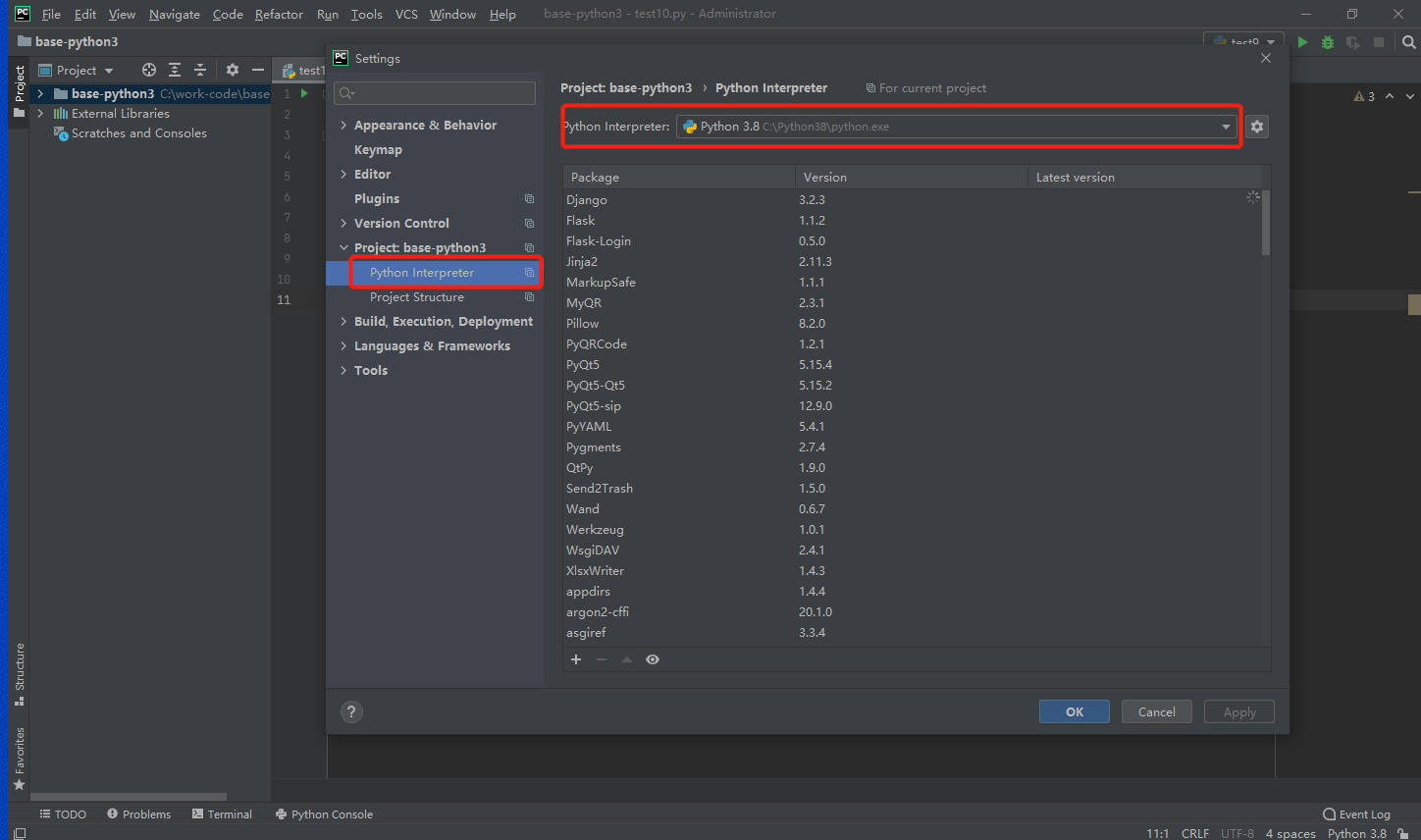
Python环境配置
File -> Settings
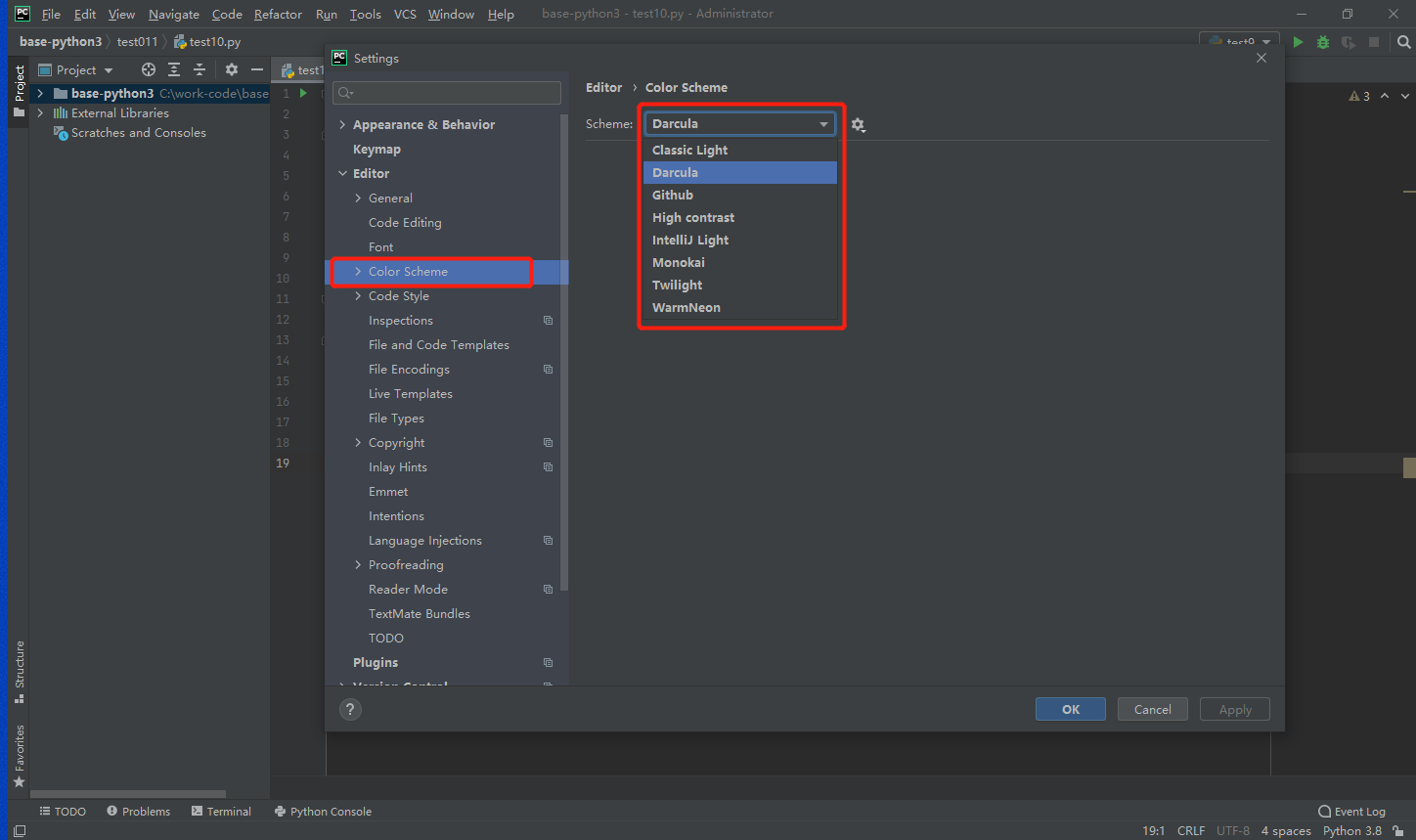
修改PyCharm主题
File -> Settings
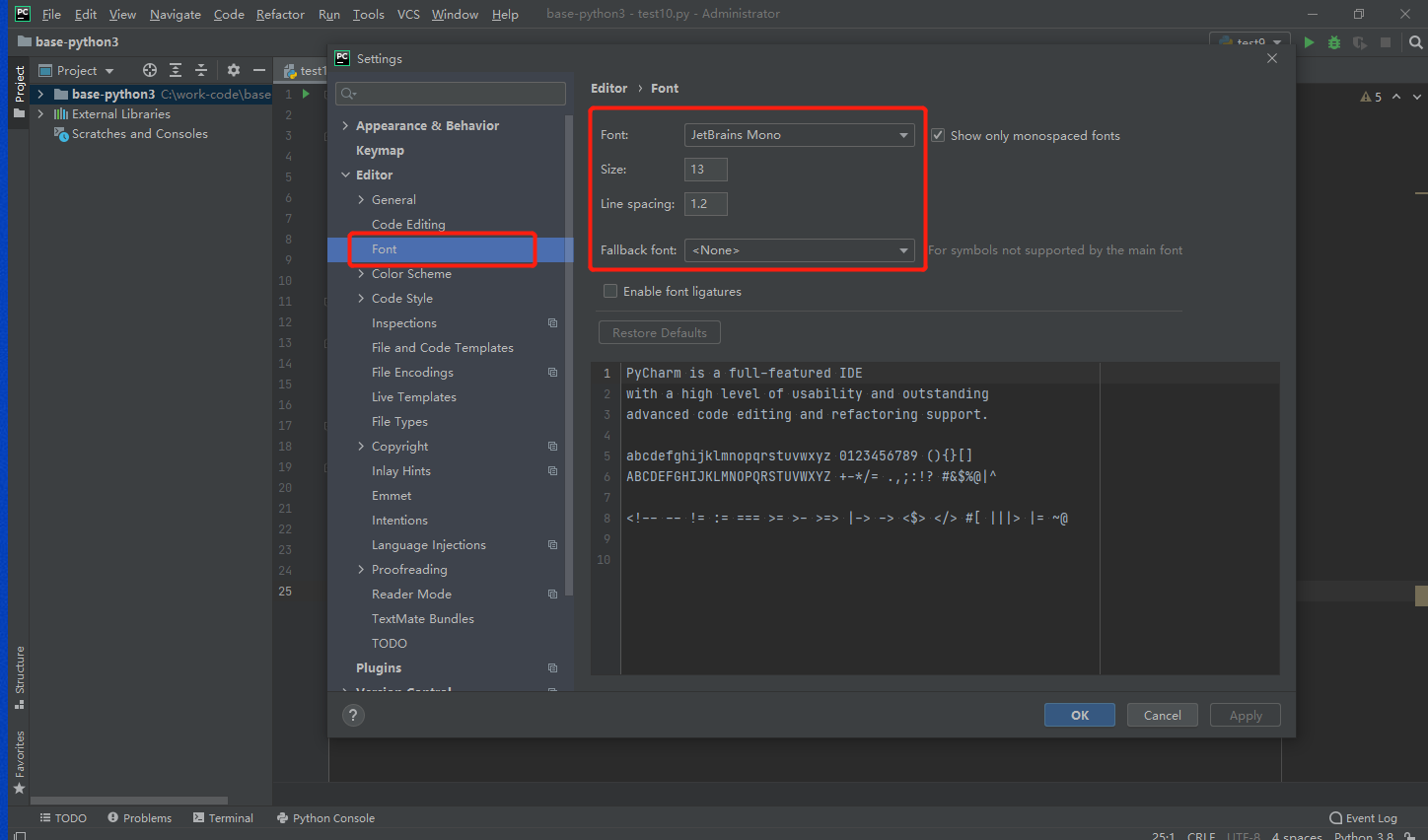
修改字体设置
File -> Settings
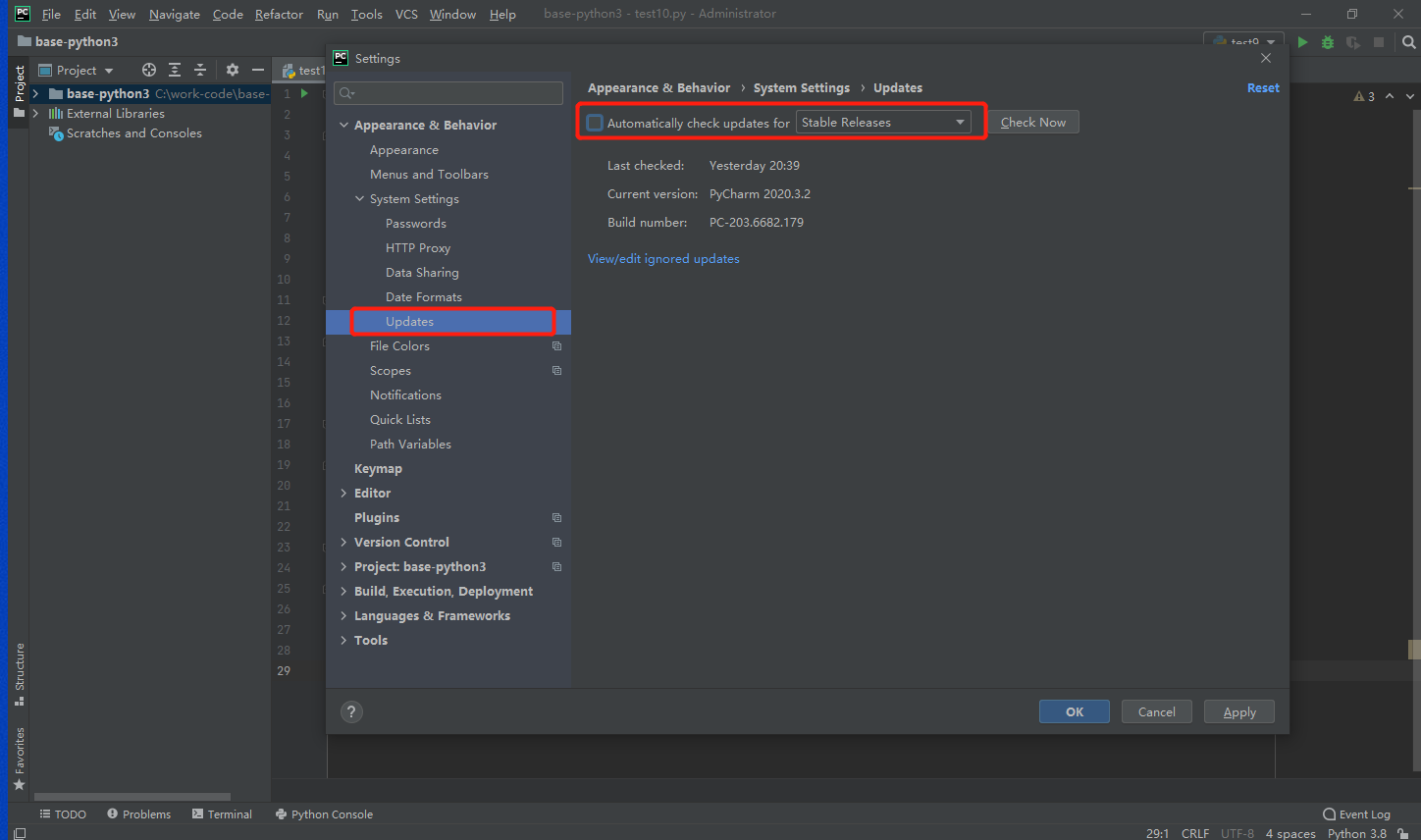
关闭自动更新
File -> Settings -> System settings -> Updates
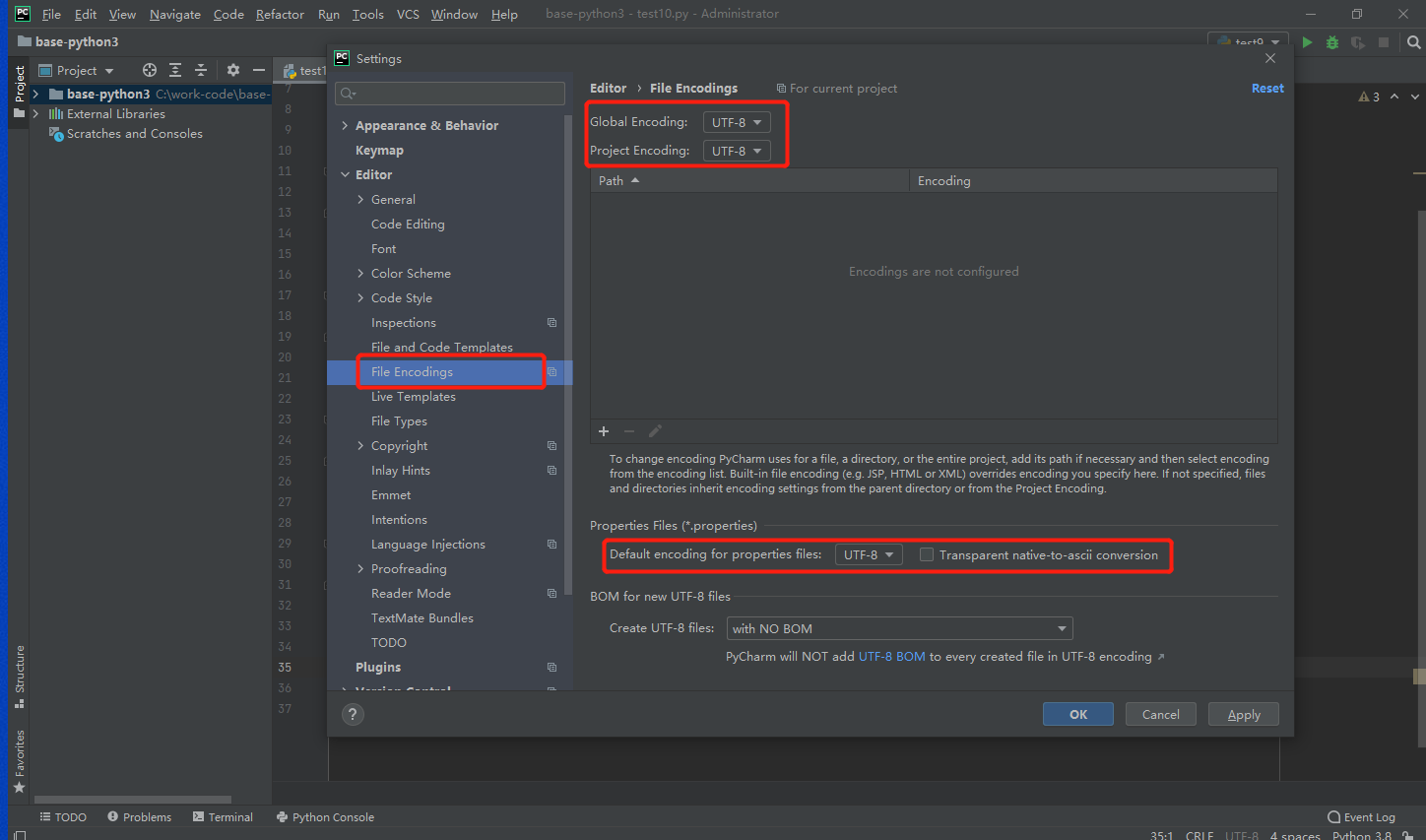
文件编码设置
File -> Settings -> Editor -> File endcoing
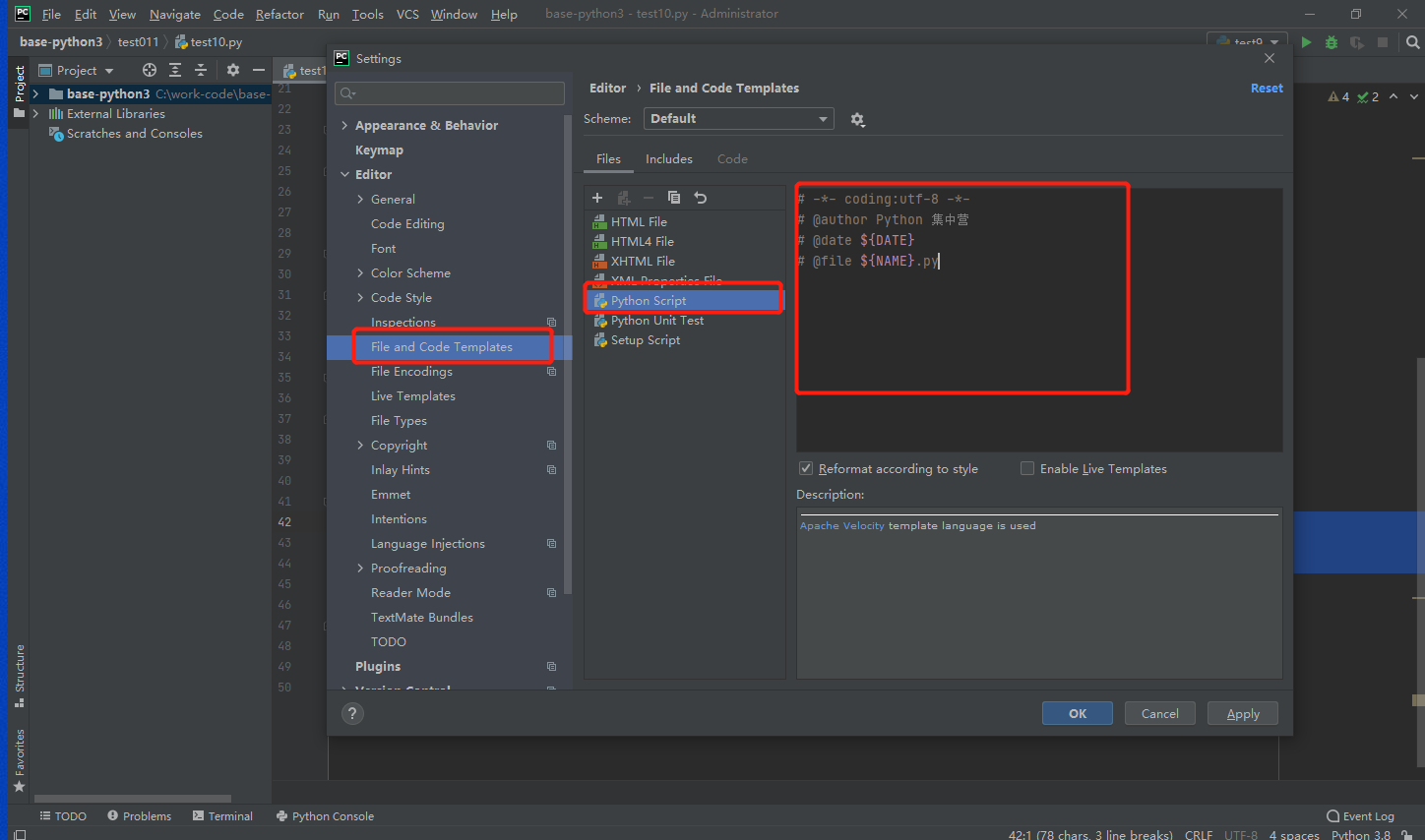
python文件模板设置
#!/usr/bin/env python3
# -*- coding:utf-8 -*-
# @author Python 集中营
# @date ${DATE}
# @file ${NAME}.py
File -> Settings -> Editor -> File and Code Templetes
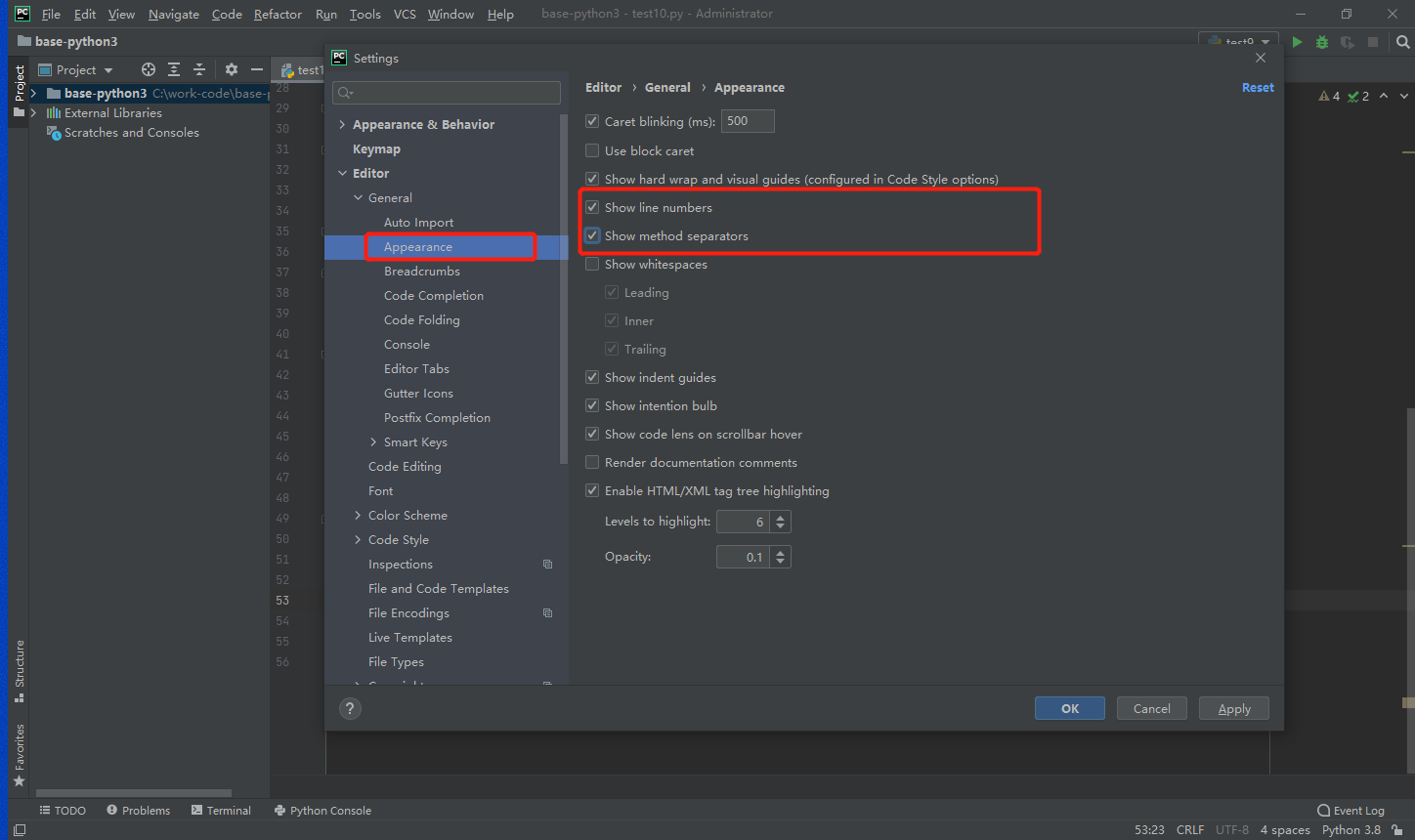
设置代码行数及函数线
File -> Settings -> Editor -> Appearance
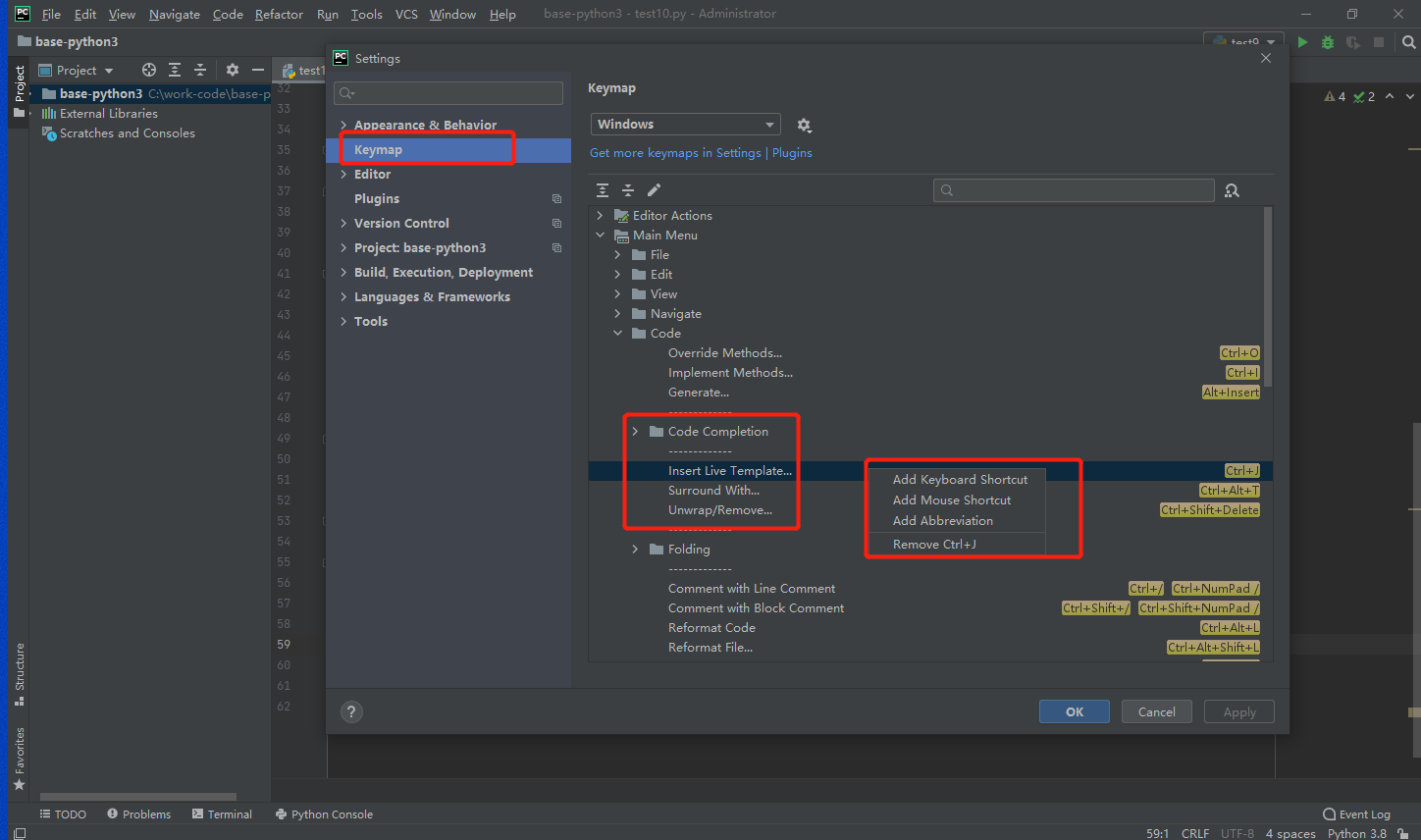
编码自动提示快捷键
File -> Settings -> Keymap
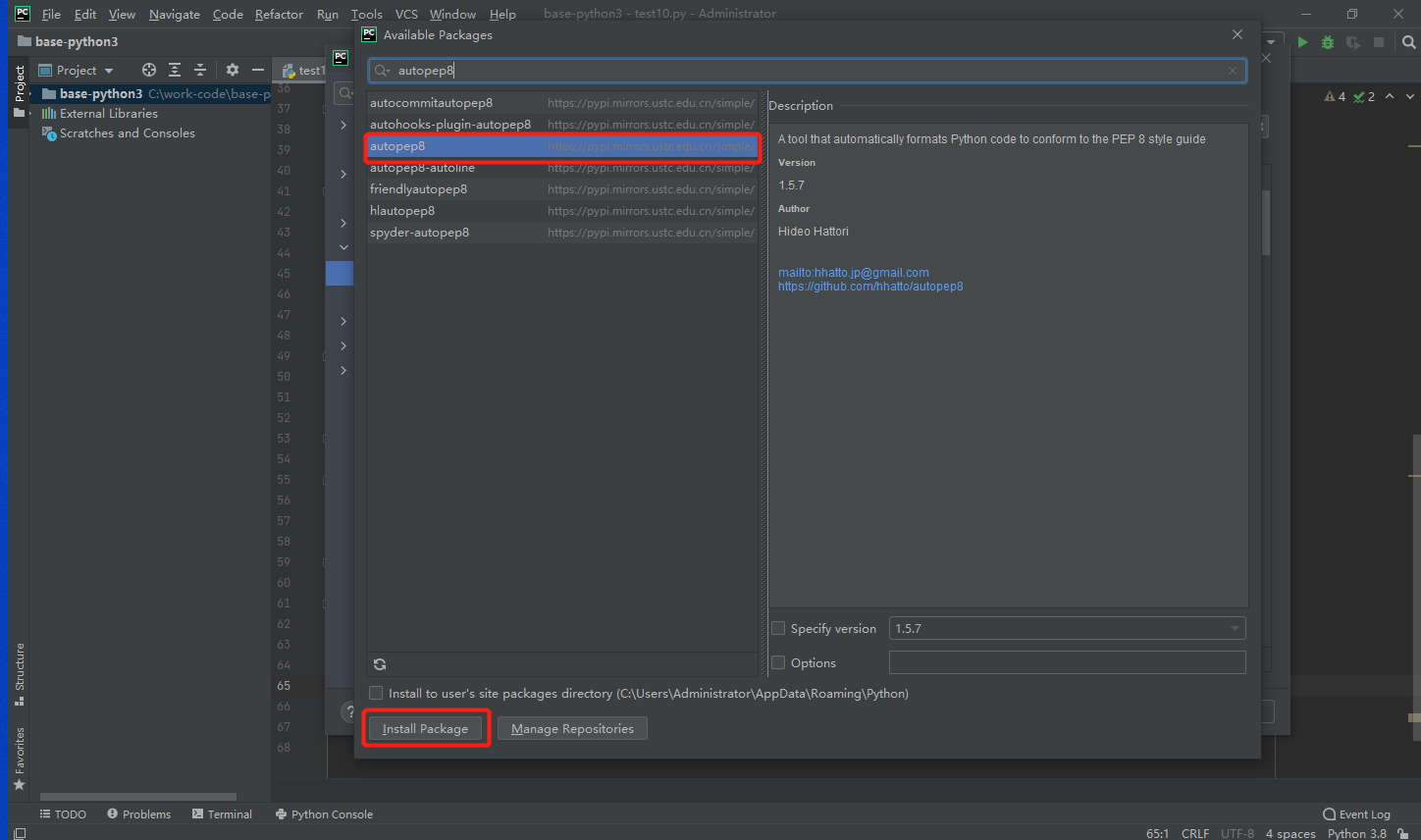
安装并设置PEP8代码规范
File -> Settings -> Python Interpreter
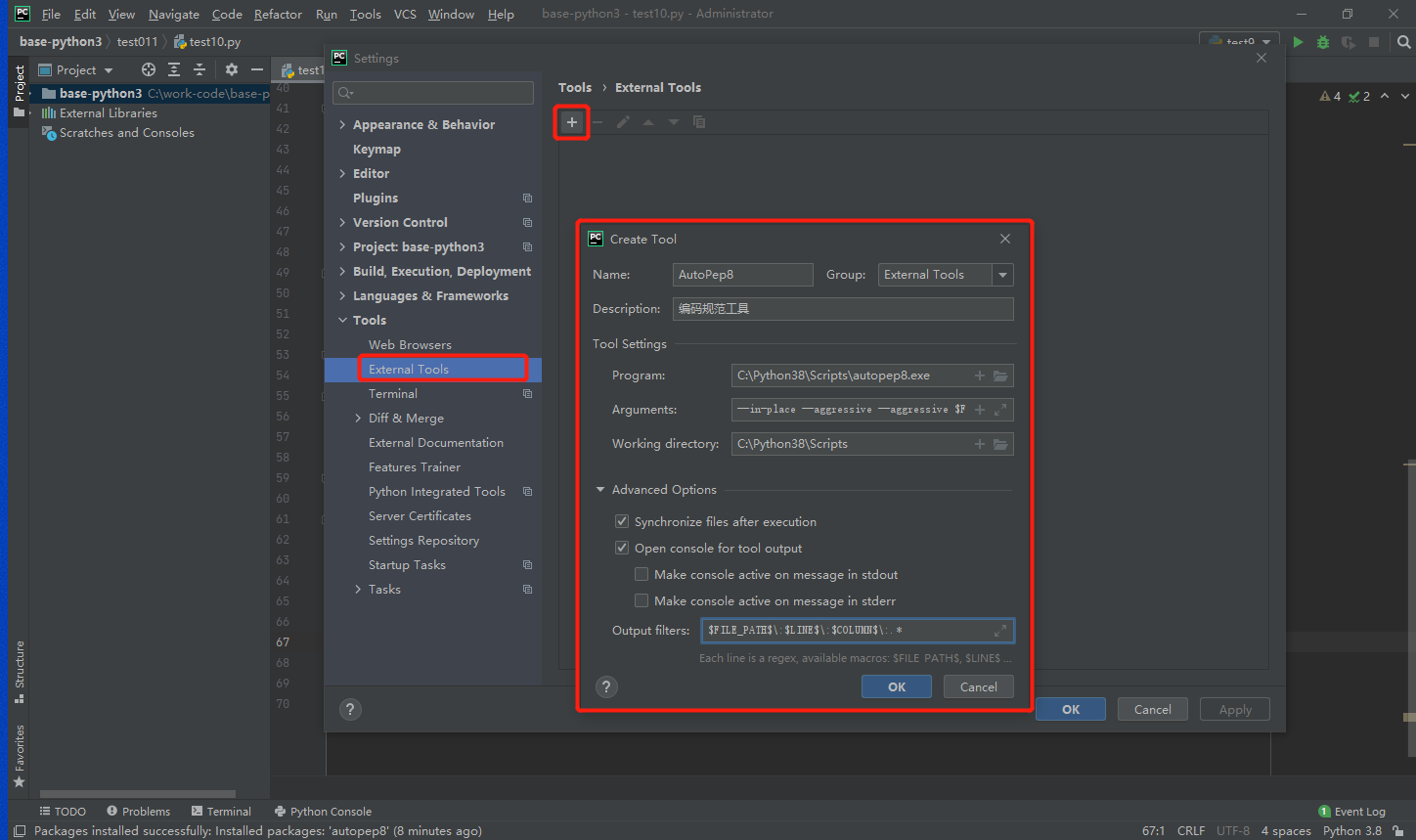
File -> Settings -> Tools -> External Tool
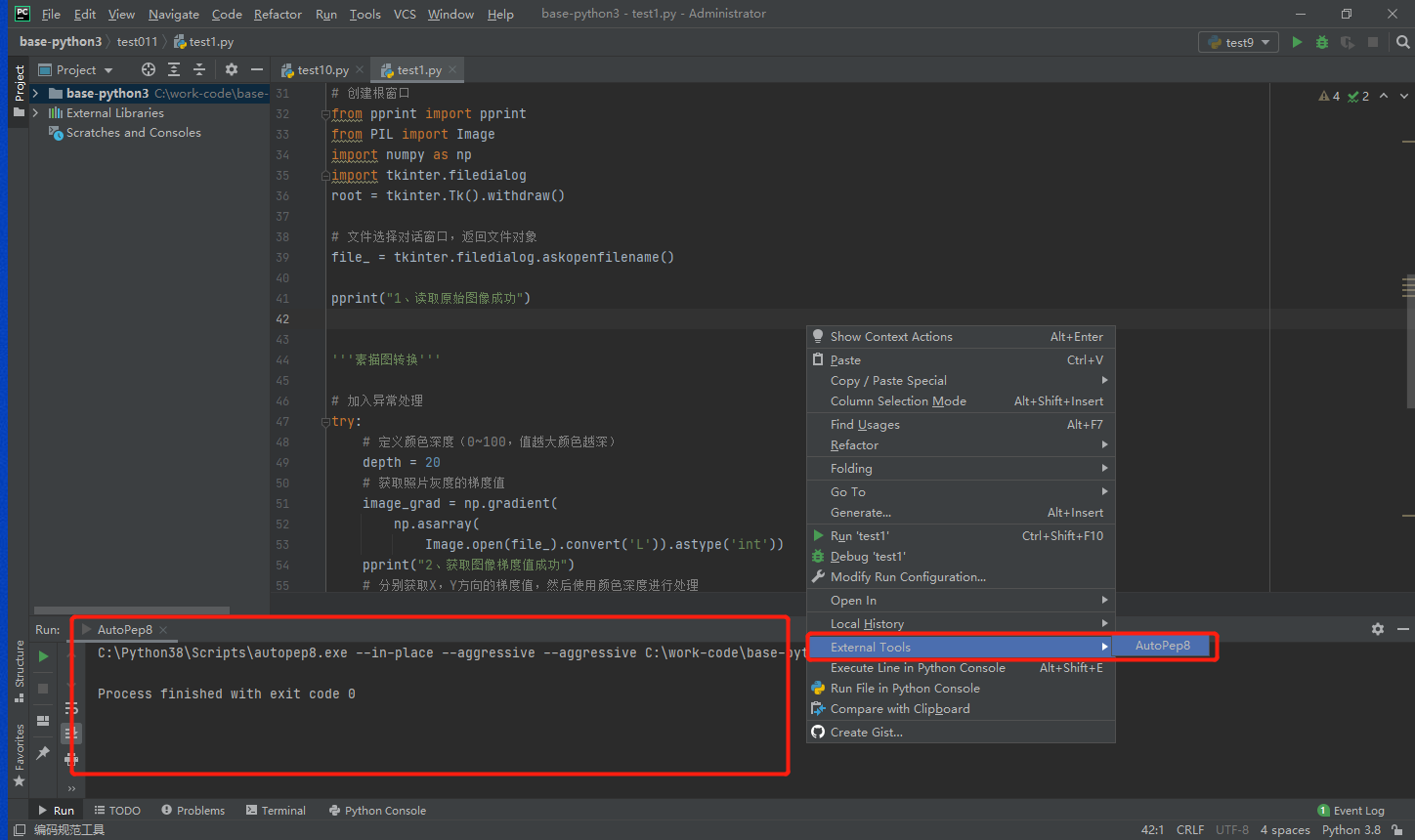
在所需要格式化代码的区域单击右键
 随时随地看视频